

Description
Download Auto Clear Cookies – auto clear cookies, clear cookies, cookie management, browser privacy, internet explorer, mozilla firefox
Overview
Auto Clear Cookies is a lightweight utility designed to simplify the management of stored website data within Internet Explorer and Mozilla Firefox. Its primary purpose is to enable users to quickly and efficiently remove cookies with minimal effort, enhancing online privacy and reducing the risk of data tracking. The app addresses the common challenge of manually navigating browser settings to delete cookies, offering a streamlined alternative for users who prioritize digital hygiene. While it does not support Google Chrome, it remains a relevant tool for individuals relying on Internet Explorer or Firefox for daily browsing.
Target users include privacy-conscious individuals, casual internet users seeking convenience, and those who frequently switch between multiple websites and want to avoid login issues or outdated session data. The application is particularly useful in shared or public computing environments where maintaining user privacy is critical. Although the developer did not provide additional background information, the app's longevity—first released in 2012—suggests consistent functionality and user demand over time.
Within the broader productivity and privacy tool ecosystem, Auto Clear Cookies fills a niche by offering a focused, no-frills solution. It does not aim to replace full-featured browser extensions but serves as a dedicated utility for users who prefer simplicity and direct control over cookie data. The app’s minimal size and free pricing further enhance its accessibility and appeal.
Key Features & Functionality
- One-Click Cookie Removal: This core feature allows users to erase all stored cookies across supported browsers with a single click. It eliminates the need to access browser settings, making it ideal for quick privacy resets after browsing sessions.
- Selective Cookie Clearing: Users can choose to remove cookies from specific websites while preserving data from others. This functionality helps maintain login states or personalized preferences on frequently visited sites, balancing privacy with convenience.
- Support for Internet Explorer and Mozilla Firefox: The application is built to integrate with these two major desktop browsers, ensuring compatibility with legacy systems and users who have not transitioned to modern alternatives.
- Intuitive User Interface: The app features a clean, minimal layout that avoids clutter. Even users with limited technical experience can navigate the interface and perform actions without confusion or training.
- Non-Intrusive Operation: Auto Clear Cookies runs in the background without altering browser behavior or requiring constant user input. It executes tasks quickly and exits, minimizing system resource usage.
For example, a user working on a shared computer can use the app to clear all cookies after finishing a session, preventing others from accessing their accounts. Similarly, someone researching sensitive topics may use it to ensure no browsing history or tracking data remains. The selective clearing feature is also beneficial for users who want to log out of social media platforms without losing preferences on news or shopping sites.
Interface, UX & Performance
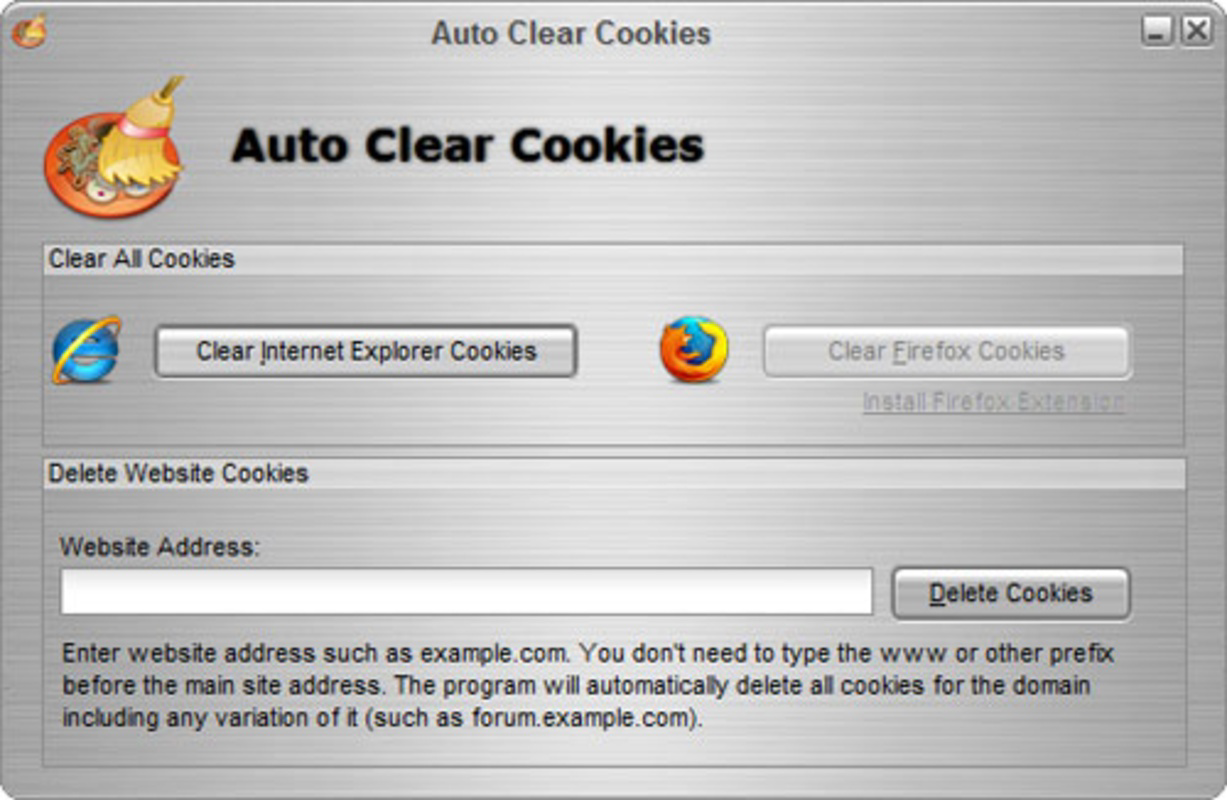
The user interface of Auto Clear Cookies is straightforward and focused on core functionality. It presents essential options—such as “Clear All Cookies” and “Select Websites”—in a clear, uncluttered layout. Navigation is intuitive, with minimal steps required to perform any action. The app avoids complex menus or layered settings, aligning with its goal of simplicity and speed.
Although the developer did not list formal performance metrics, the app’s lightweight footprint of 2.1 MB suggests efficient resource usage. It is designed to launch quickly and complete tasks without noticeable delays. The application maintains stability during operation, with no reported crashes or freezes in the available information.
Performance across different device categories is not specified, but given its small size and desktop-only platform, it is expected to function reliably on systems with basic hardware capabilities. Responsiveness is consistent with its design philosophy—immediate feedback upon button press and minimal wait time. The app does not consume significant CPU or memory, making it suitable for older or low-end machines.
Platform Compatibility & Technical Requirements
Auto Clear Cookies is available exclusively for the Windows operating system. It supports desktop environments and is designed to run on standard Windows installations. The current version is 1.0.0, with a file size of 2.1 MB, making it a lightweight download.
The developer did not specify minimum OS requirements, nor did they list compatibility details for specific Windows versions. As such, users should exercise caution when installing on outdated systems. While the app has been available since 2012, its continued operation on modern Windows versions is not confirmed. Users are advised to test compatibility on their system before use.
Pros and Cons
Pros
- Free to download and use with no hidden costs.
- Simple, intuitive interface suitable for novice users.
- One-click clearing streamlines privacy maintenance.
- Supports selective cookie deletion for better user control.
- Lightweight size ensures minimal system impact.
Cons
- Lacks support for Google Chrome, limiting its reach.
- No official information on OS compatibility or system requirements.
- Not available for mobile platforms or macOS.
- App has not been updated since 2012, raising concerns about long-term support.
- No integration with modern browser security features.
FAQ
Is Auto Clear Cookies safe to install?
The app is free and does not require administrator privileges. However, as it operates at the browser level, users should ensure they download it from trusted sources to avoid potential risks.
Can I use Auto Clear Cookies on Windows 10 or 11?
While the app has been available since 2012, the developer did not specify compatibility with newer Windows versions. Users are advised to test the application on their system.
Does Auto Clear Cookies work on Mac or Linux?
No, the application is designed exclusively for Windows and is not available for macOS or Linux operating systems.
Is the app updated regularly?
The last release was in 2012. There is no public indication of ongoing updates or maintenance.
Can I restore cleared cookies after using the app?
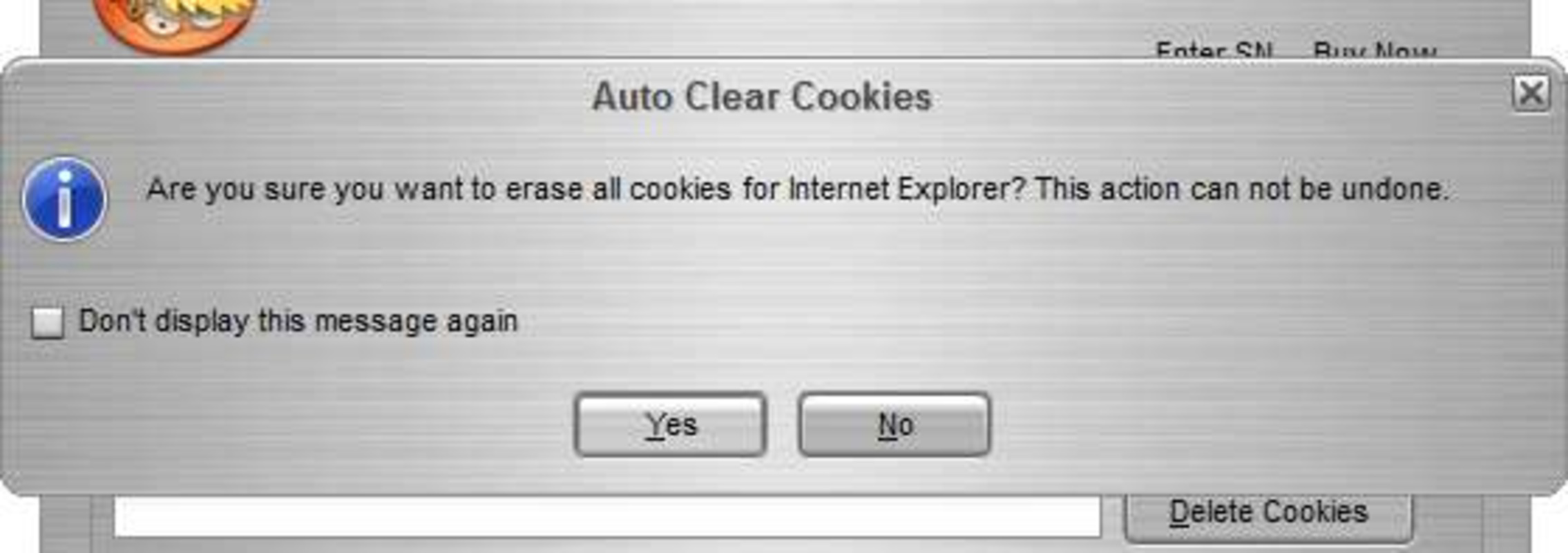
Once cookies are cleared, they cannot be restored through the app. Users should back up important data if needed before deletion.
Final Thoughts
Auto Clear Cookies delivers a focused, no-nonsense solution for managing browser cookies in Internet Explorer and Mozilla Firefox. Its simplicity, low resource usage, and free pricing make it a viable option for users who value privacy without complexity. While its lack of modern support and absence of updates are notable drawbacks, it remains functional for those on legacy systems or who prefer a dedicated tool over browser extensions.
Individuals who use Internet Explorer or Firefox and want to maintain control over their browsing data will benefit most from this utility. It’s especially useful in shared or public environments where privacy is a priority.
Despite its age, the app continues to serve a specific niche in the productivity and privacy space. For users seeking a lightweight, one-click solution, Auto Clear Cookies remains a practical choice.
Download Auto Clear Cookies now
Guides & Tutorials for Auto Clear Cookies
How to install Auto Clear Cookies
- Click the Preview / Download button above.
- Once redirected, accept the terms and click Install.
- Wait for the Auto Clear Cookies download to finish on your device.
How to use Auto Clear Cookies
This software is primarily used for its core features described above. Open the app after installation to explore its capabilities.
User Reviews for Auto Clear Cookies 0
No reviews found


